Local macOS companion
A signed menu-bar app owns Screen Recording, Screen Content, Accessibility, overlays, and visual capture.
ThisThat turns a Control+Shift highlight into structured visual context: crops, coordinates, source URLs and file paths when available, OCR, accessibility metadata, visual search, pixel probes, and change detection for Codex.
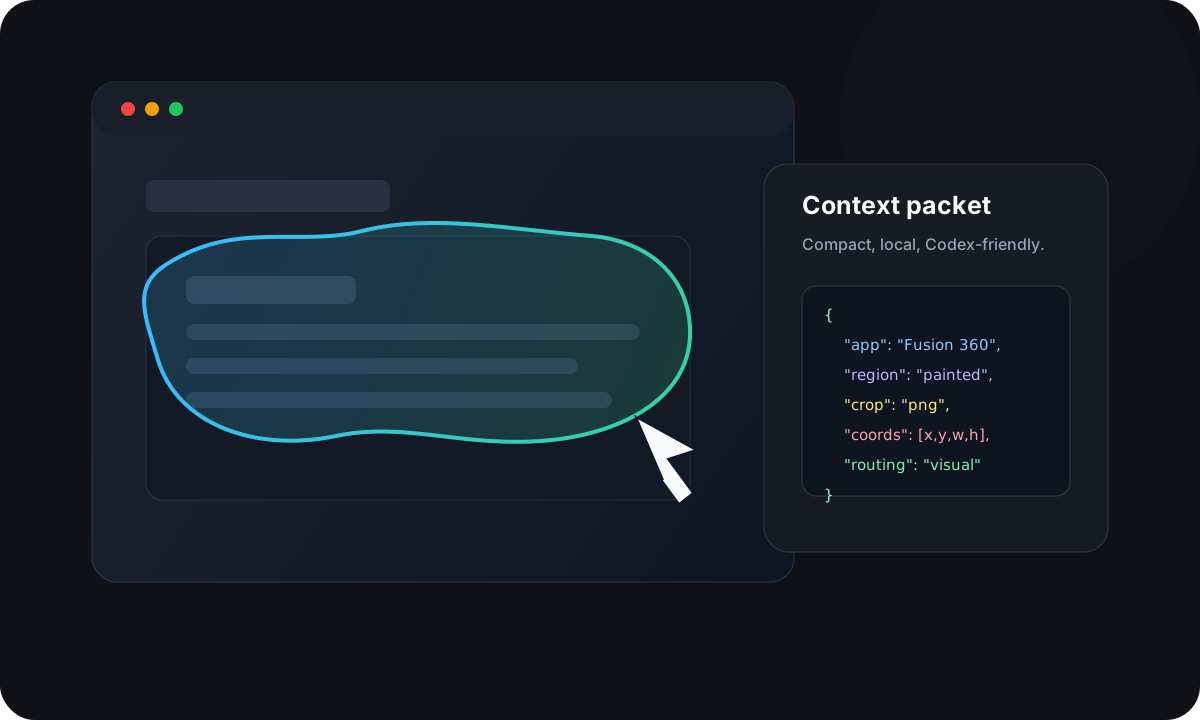
ThisThat is built from TipTour's strongest idea: the pointer/highlighter as an AI context primitive. TipTour explored a Gemini-style pointer assistant and required a Gemini API key. ThisThat keeps the pointing layer, removes the Gemini dependency, and routes AI work through Codex.
| Area | TipTour | ThisThat |
|---|---|---|
| AI route | Gemini / Gemini Live | Codex / ChatGPT |
| API key | Gemini API key required | No Gemini API key |
| Best retained idea | Pointer and highlight context | Pointer and highlight context optimized for Codex ingestion |
| Action routing | App-owned assistant behavior | Codex chooses Chrome or Computer Use after ThisThat explains the target |
This project is independent and is not affiliated with Google, Gemini, DeepMind, OpenAI, or Codex. It preserves attribution to TipTour and its upstream lineage.
ThisThat does not replace Codex's browser or desktop control tools. It gives Codex a precise answer to one question: what does the user mean by "this"?
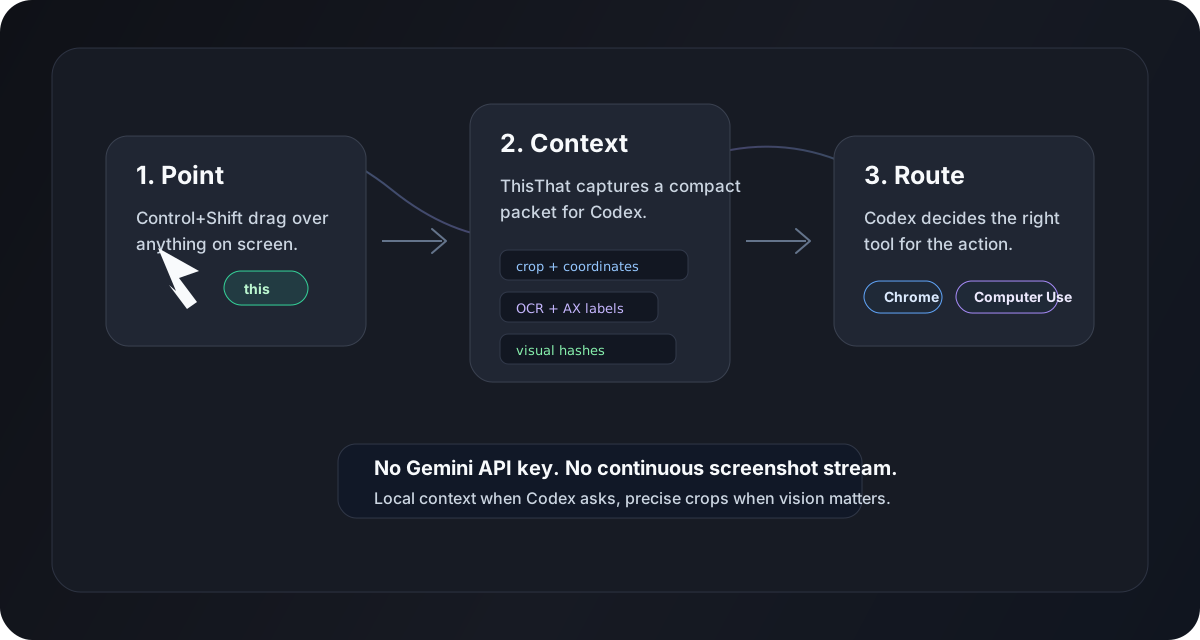
A signed menu-bar app owns Screen Recording, Screen Content, Accessibility, overlays, and visual capture.
Codex launches the MCP daemon over stdio. The daemon talks to the app over a token-protected localhost bridge.
Codex receives focused crops, OCR, grids, coordinates, hashes, and routing hints only when needed.
ThisThat is most useful when a target is visible but hard to explain precisely in text.
Sample a changing scene, inspect HUD elements, compare before/after frames, and wait for visual state changes.
Use lossless crops, coordinate grids, and pixel-level inspection for tiny controls, edges, panels, and canvases.
Point at artifacts, colors, visual defects, image regions, or interface elements that have no accessible label.
Let ThisThat identify the target, then let Codex route the action through Chrome or Computer Use.
ThisThat currently builds from source. A signed local app is important because macOS privacy permissions are tied to the app identity.
ThisThat captures visual context when Codex asks or when you paint a highlight. The goal is compact, inspectable context that helps Codex use the right tool for the job.